
Automation with ai is becoming one of the most practical ways for businesses to reduce repetitive work, improve customer service, and make operations faster. In 2026, companies are no longer asking whether artificial intelligence can help them. They are asking which business processes should be automated first.
For companies that manage customer messages, invoices, sales requests, technical support, appointments, or internal workflows, automation with ai can turn disconnected tasks into intelligent systems that respond, classify, organize, and execute actions automatically.
Need help automating your business with AI?
At Appscamelot, we build custom software solutions for businesses, from invoicing systems to AI-powered chatbots that automate customer support, sales, and internal processes. If your team spends too much time answering the same questions, copying data, or following up manually, Appscamelot can help you design an automation system that fits your real workflow.
What is automation with ai?
Automation with ai means using artificial intelligence to complete tasks, make decisions, process information, and trigger workflows with less manual effort. Unlike traditional automation, which follows fixed rules, AI-powered automation can understand language, classify requests, extract data, summarize conversations, and adapt to different situations.
AWS defines AI automation as the use of artificial intelligence to automate business workflows, replacing manual steps with tools, code, and configuration. IBM also explains that intelligent automation combines AI and automation technologies to help businesses automate low-level tasks and create more consistent workflows.
In practical terms, automation with ai can help your business answer customers, qualify leads, generate tickets, process invoices, organize documents, create reports, and connect multiple systems.

Why automation with ai matters in 2026
In 2026, customers expect fast answers, personalized attention, and smooth digital experiences. Businesses that still depend on manual replies, spreadsheets, or disconnected tools often lose time, money, and opportunities.
Automation with ai helps solve this by connecting communication channels, business logic, and software systems. Microsoft explains that AI automation can streamline workflows, improve decision-making, enhance customer experiences, and increase efficiency.
For example, instead of having a team member manually read every message, decide what the customer needs, and forward it to the correct department, an AI chatbot can detect intent, collect missing information, create a record, and notify the right person.
Key benefits of automation with ai
1. Faster customer support
One of the strongest use cases for automation with ai is customer service. AI chatbots can respond instantly to common questions, guide users through processes, collect customer details, and escalate complex cases to a human agent.
This is especially valuable for businesses that receive messages through WhatsApp, website forms, live chat, email, or social media.
2. Better sales follow-up
Many sales are lost because businesses respond too late or forget to follow up. With automation with ai, a chatbot can qualify leads, ask relevant questions, send information, schedule calls, and notify the sales team when a prospect is ready.
3. Reduced manual work
Repetitive tasks such as copying data, checking forms, sending reminders, or organizing requests can slow down your team. AI-powered automation helps reduce these tasks so employees can focus on higher-value work.
4. Fewer errors
Manual processes often create mistakes. Automation with ai can extract data from messages, forms, or documents and send it to the correct system with greater consistency.
5. Better workflow visibility
When automation is connected to dashboards, CRM systems, invoicing platforms, or internal software, managers can see what is happening in real time.

Examples of automation with ai for businesses
AI chatbot for customer service
A chatbot can answer frequently asked questions, explain services, collect customer information, check order status, and send the conversation to a human when needed.
AI chatbot for sales
A sales chatbot can ask what the customer needs, qualify the lead, recommend a service, create a CRM record, and schedule a follow-up.
Invoice and billing automation
A business can automate invoice generation, payment reminders, billing support, and customer notifications.
Internal ticket classification
AI can read a request and classify it as sales, support, billing, complaint, technical issue, or general inquiry.
Document processing
Automation with ai can help extract data from PDFs, invoices, forms, and emails, then send that information to a database or business system.
ServiceNow describes AI automation as the use of artificial intelligence technologies to automate complex tasks and processes more accurately and consistently.
How to implement automation with ai
Step 1: Identify repetitive processes
Start with tasks your team performs every day. Good candidates include customer questions, lead capture, appointment scheduling, support requests, invoice follow-ups, and data entry.
Step 2: Choose one high-impact workflow
Do not try to automate everything at once. The best approach is to begin with one process that is easy to measure, such as reducing response time or increasing lead conversion.
Step 3: Connect the chatbot to your systems
A basic chatbot only answers questions. A powerful AI chatbot connects with your CRM, invoicing system, database, calendar, WhatsApp, website, or internal tools.
Step 4: Add human escalation
The best automation with ai strategy does not remove humans from the process. It helps them work faster. When the AI detects a complex or sensitive case, it should transfer the conversation to a real person.
Step 5: Measure results
Track metrics such as response time, resolved conversations, qualified leads, reduced manual hours, customer satisfaction, and completed workflows.
Why custom AI automation is better than generic tools
Many businesses start with generic automation tools, but they quickly discover limitations. Their processes are unique, their data is stored in different places, and their customers ask specific questions.
A custom solution allows your business to build automation with ai around your real operation. This means the chatbot can follow your rules, connect to your software, use your service information, and support your team’s workflow.
At Appscamelot, this is where custom development becomes valuable. Instead of forcing your business to adapt to a tool, we build the tool around your business.
Best use cases for Appscamelot clients
Appscamelot can help businesses use automation with ai in areas such as:
- Customer service chatbots.
- Sales qualification.
- WhatsApp automation.
- Invoice and billing workflows.
- CRM integrations.
- Internal support systems.
- Lead follow-up.
- Appointment scheduling.
- Document and form processing.
- Custom dashboards.
These solutions are useful for service companies, clinics, ecommerce businesses, logistics providers, agencies, real estate companies, educational institutions, and any business that receives repetitive requests.
Final thoughts
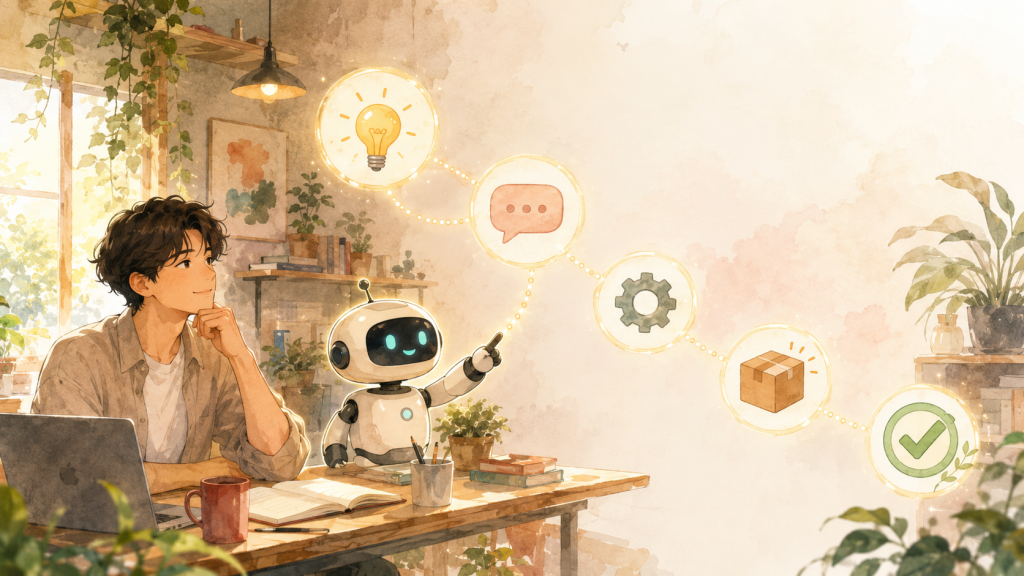
Automation with ai is no longer a future trend. It is a practical business strategy for 2026. Companies that automate customer service, sales, billing, and internal workflows can respond faster, reduce errors, improve customer experience, and scale without adding unnecessary operational complexity.
If your business wants to start with an AI chatbot, automate repetitive tasks, or connect your current systems into one smarter workflow, Appscamelot can help you build a custom solution designed for measurable business results.
External Links:
- Apps Camelot: AI and Automation — A business-focused guide explaining how AI and automation help companies reduce manual work, improve workflows, and operate more efficiently.
- Waibot: AI and Automation — A practical resource about using AI chatbots to automate customer service, sales, lead qualification, support, and business processes.
- Microsoft: AI Automation — An overview of how AI automation uses machine learning and natural language processing to streamline routine tasks and improve business operations.
- Salesforce: What Is AI Automation? — A clear explanation of AI automation, including how it helps handle routine tasks and optimize business workflows.
- AWS: What Is AI Automation? — A technical but accessible guide on using artificial intelligence to automate workflows, replace manual steps, and achieve business outcomes.
 Habla con Mari, la asistente docente virtual

 English
  Spanish
No Responses