Order automation connects sales channels with inventory, payments, invoicing, logistics, and internal business systems so orders can move through the operation with less manual intervention. It allows companies to receive orders from ecommerce platforms, delivery apps, marketplaces, sales teams, or conversational channels and send them automatically to the systems responsible for processing, preparing, billing, and delivering them.
Need to connect your sales channels? Apps Camelot develops custom integrations for Uber Eats, DoorDash, Shopify, POS systems, ERP platforms, CRM software, logistics providers, and virtually any API. Visit https://deli.waibot.io/
What Is Order Automation?
Order automation is the use of software, APIs, webhooks, middleware, and business rules to execute the tasks that follow a purchase.
A typical automated workflow may:
- Receive and validate an order.
- Check product availability.
- Register the sale in a POS or ERP.
- Confirm the payment.
- Generate an invoice.
- Send instructions to a kitchen, warehouse, or logistics provider.
- Update the customer about the order status.
The purpose is not to remove human oversight. It is to reduce repetitive data entry, operational delays, and errors caused by disconnected systems.
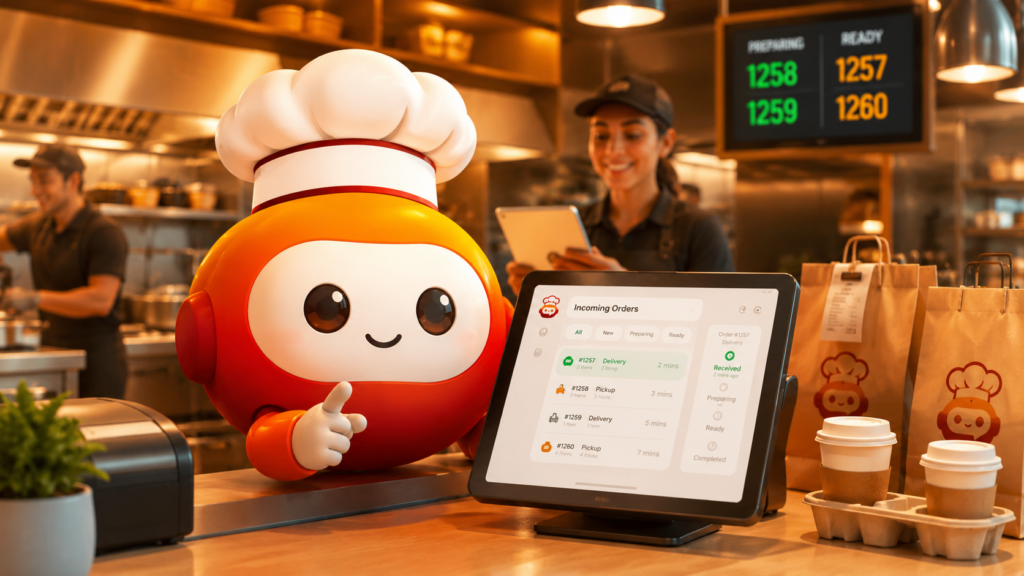
How Does Order Automation Work?
Order automation begins when a customer places an order through a sales channel. An API or webhook sends the order information to an integration layer or middleware platform.
The middleware validates products, quantities, addresses, payments, taxes, inventory, and business rules. It then sends the information to the appropriate internal and external systems.
| Stage | Automated Action | Connected System |
|---|---|---|
| Order receipt | Captures orders from different channels | Ecommerce, delivery app, marketplace |
| Validation | Checks products, payment, and availability | POS, ERP, inventory system |
| Preparation | Sends operational instructions | Kitchen, warehouse, WMS |
| Delivery | Creates shipments and tracking numbers | DHL, FedEx, UPS, Estafeta |
| Status update | Sends progress notifications | Ecommerce, CRM, messaging platform |
The official Uber Eats API documentation explains how integrations can manage stores, menus, and orders. Shopify webhooks allow connected systems to react automatically when an event occurs.
Main Benefits
A properly implemented order automation strategy can help companies:
- Reduce manual data-entry errors.
- Prevent duplicate orders.
- Process higher order volumes.
- Synchronize inventory across channels.
- Improve preparation and delivery times.
- Centralize information from multiple platforms.
- Monitor operations in real time.
- Apply different rules by location, region, or customer type.
- Scale without increasing administrative work at the same rate.
These benefits are especially relevant for restaurants, retail chains, ecommerce businesses, logistics companies, and organizations with multichannel operations.
Common Use Cases and Real-World Examples
For restaurants, order automation can centralize orders from Uber Eats, DoorDash, Rappi, DiDi Food, and Grubhub. Each order can be sent to the restaurant’s POS or kitchen system while product availability and order statuses remain synchronized.
For ecommerce companies, an order placed through Shopify, WooCommerce, Magento, or BigCommerce can be registered automatically in SAP, Odoo, Oracle, or Microsoft Dynamics. The workflow can then validate payment, update inventory, generate an invoice, and request a shipment.
For logistics operations, the system can create shipping labels, assign carriers, and retrieve shipment updates through integrations such as the DHL Tracking API. Customers can receive current delivery information without requiring an employee to check every package manually.
Order automation can also support orders initiated through chatbots or AI agents. When a conversation requires product information, customer validation, or order creation, Waibot can connect the conversational experience with the appropriate business systems.
Best Practices for Implementation
Before implementing order automation, companies should:
- Document the current order workflow and its exceptions.
- Define the authoritative system for inventory, pricing, and customer data.
- Standardize SKUs, taxes, currencies, addresses, and order statuses.
- Add retry mechanisms, activity logs, and error alerts.
- Protect API credentials and validate webhook authenticity.
- Start with one channel, location, or order type.
- Measure processing time, failure rates, and manual interventions.
- Create fallback procedures for unavailable systems.
A phased implementation reduces risk and makes it easier to identify operational improvements before expanding the solution.
Common Mistakes
One of the most frequent mistakes in order automation is connecting platforms without defining rules for cancellations, out-of-stock products, rejected payments, partial fulfillment, refunds, or address changes.
Other common problems include:
- Automating a poorly designed process.
- Using several systems as the main inventory source.
- Failing to monitor integrations.
- Ignoring API rate limits and version changes.
- Creating workflows without retry mechanisms.
- Failing to prepare for third-party service outages.
- Not keeping a complete record of order events.
Custom middleware can centralize these rules and adapt every integration to the company’s actual processes.
When Is a Custom Integration Necessary?
A standard connector may be sufficient for simple workflows. However, custom development is often necessary when the operation involves several platforms, unique validation rules, legacy systems, multiple business units, or high order volumes.
Apps Camelot develops custom API, webhook, SDK, and middleware integrations that can connect delivery platforms, ecommerce stores, payment providers, CRM systems, ERP platforms, POS software, marketplaces, and logistics services.
Conclusion
Order automation transforms disconnected sales channels and business systems into a coordinated operational workflow. When implemented correctly, it reduces manual work, improves data accuracy, accelerates fulfillment, and helps companies scale.
The most effective projects begin with clear process rules, reliable integrations, monitoring, error handling, and a defined source of truth for critical business data.
Frequently Asked Questions
What systems are required for order automation?
The required systems depend on the business. Most implementations connect sales channels, POS software, ERP platforms, inventory systems, payment gateways, invoicing tools, CRM software, and logistics providers.
Do companies need to replace their current software?
Not necessarily. APIs, webhooks, middleware, and custom connectors can often integrate existing software, including some legacy systems.
Can orders from multiple delivery platforms be centralized?
Yes. A custom integration can receive, normalize, and distribute orders from several delivery platforms through one centralized operational system.
Is order automation suitable for small businesses?
Yes. Small and medium-sized businesses can begin with one high-impact process or sales channel and expand the integration as order volume grows.
What happens when an integration fails?
A well-designed system records the error, attempts retries, sends alerts, and preserves the order information so the transaction can be reviewed or processed later.
How long does implementation take?
The timeline depends on the number of platforms, API availability, business rules, data quality, testing requirements, and the complexity of the existing operation.
External Links:
- loyalty program for restaurants: 2026 guide – AppsCamelot — Apps Camelot guide covering automation, direct orders, loyalty flows, and restaurant systems.
- Chatbot with WhatsApp: Automate Business Conversations in 2026 — WaiBot resource about using chatbots to process orders, catalogs, payments, and customer conversations.
- Ecommerce Fulfillment: Guide to Designing and Optimizing an Order Fulfillment System That Scales — Practical guide to fulfillment workflows, logistics, inventory, and order operations.
- Optimize your ecommerce fulfillment with a third-party logistics provider — Amazon Supply Chain guide on improving the end-to-end order fulfillment process.
- The Complete Ecommerce Fulfillment Guide for 2026 — Detailed resource on fulfillment strategy, operations, SLAs, and delivery accuracy.
 Habla con Mari, la asistente docente virtual

 English
  Spanish
No Responses